 KomaBot
The Twitch bot from Germany with its own dashboard for your channel.
Chat commands, AI moderation, channel points, alerts, a soundboard and game overlays for 28 games — every channel gets its own instance on its own subdomain, in English or German, and your mods work in the same dashboard.
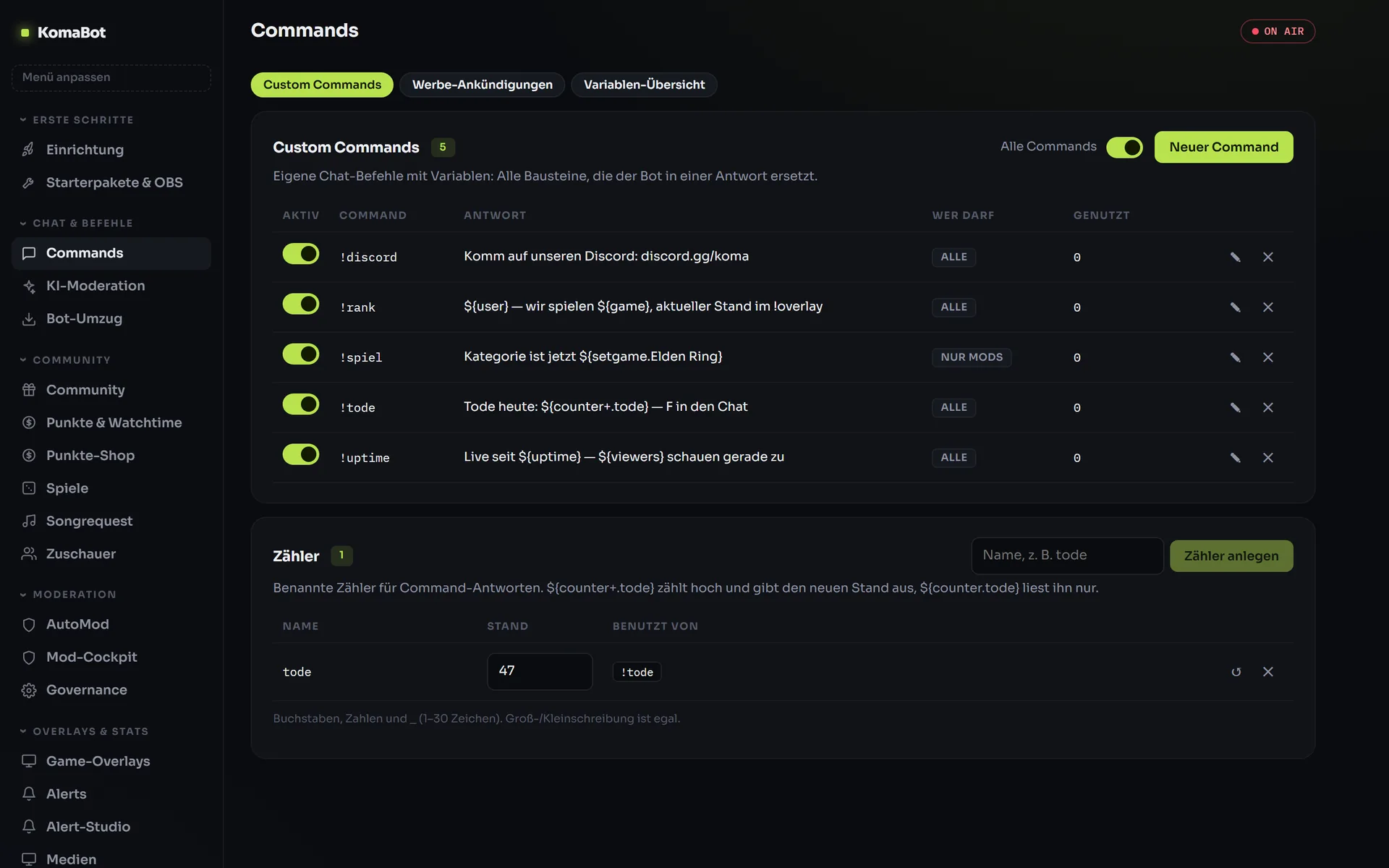
Chat commands with variables, counters and game detection
More than 40 variables, named counters and responses per Twitch category — your chat gets answers even while you are in the middle of a teamfight.
Create Twitch commands without a single line of code
Cooldowns, permission levels, special characters in the name, your own counters like ${counter+.tode} — and commands that actually do something, such as changing the title or category.
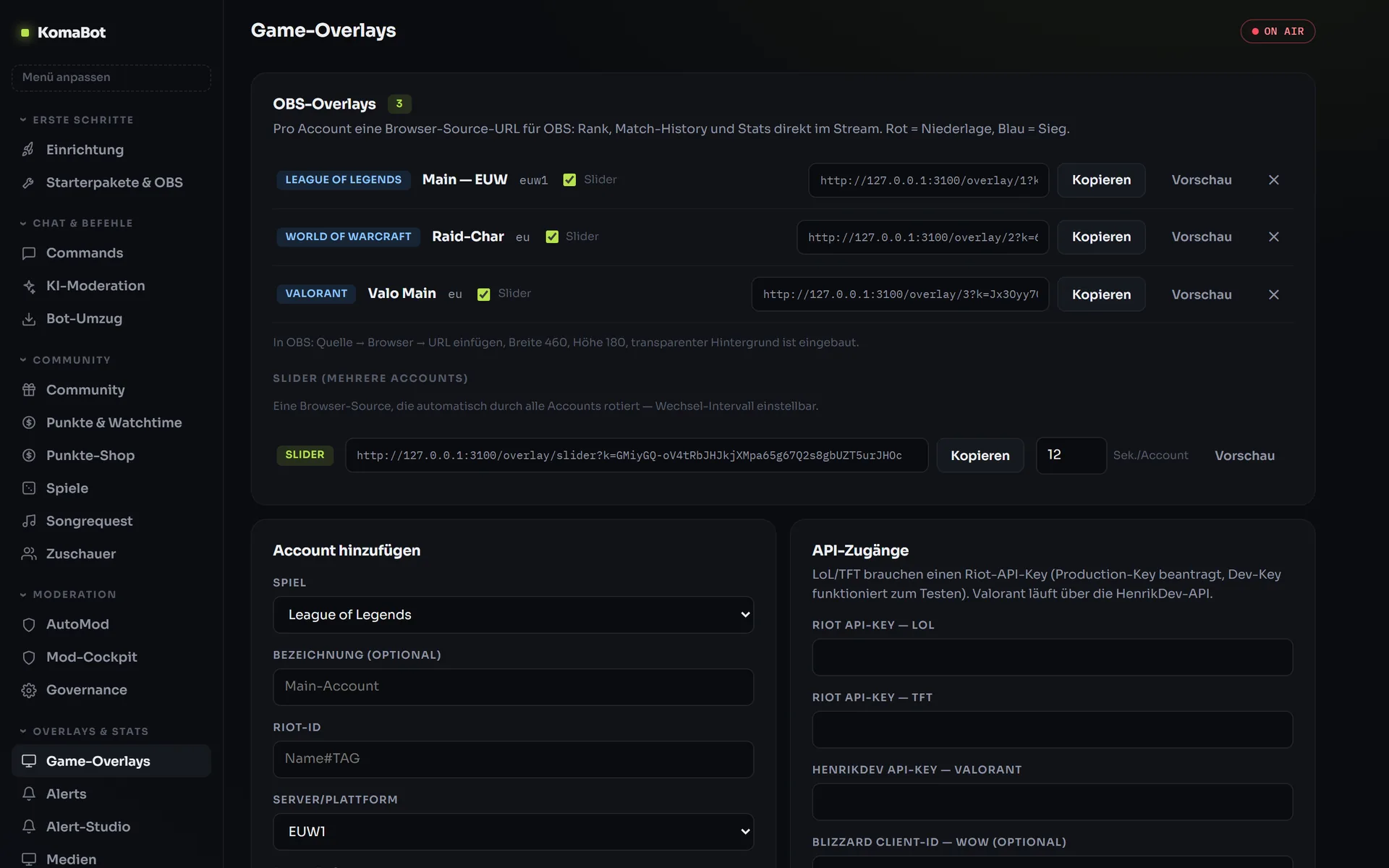
Your game live in OBS — for 28 games
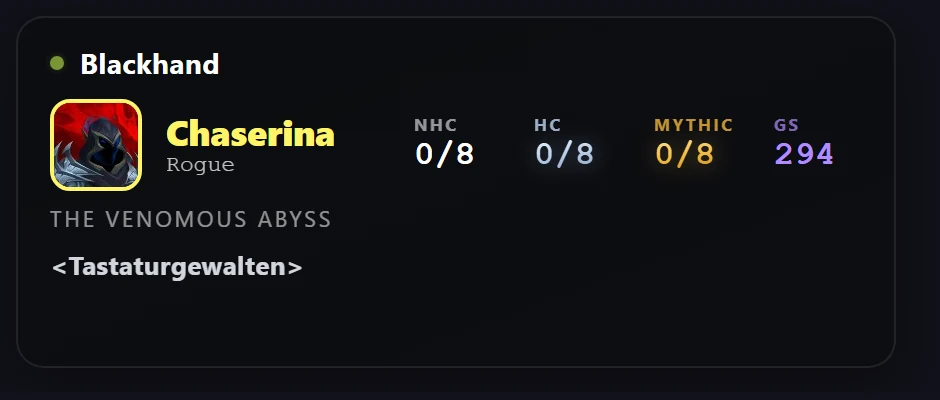
Automatic data for League of Legends, TFT, Valorant, CS2, Overwatch, Dota 2, Deadlock, World of Warcraft, Genshin Impact, Honkai: Star Rail, Zenless Zone Zero, Fortnite, PUBG, eight Battlefield titles from Battlefield 2 to Battlefield 6, Hearthstone (deck), Final Fantasy XIV and Guild Wars 2 with character selection. Rainbow Six Siege and Slay the Spire are kept up to date by you or your mods in a few clicks. One browser source per account, optionally as a slider through all accounts.
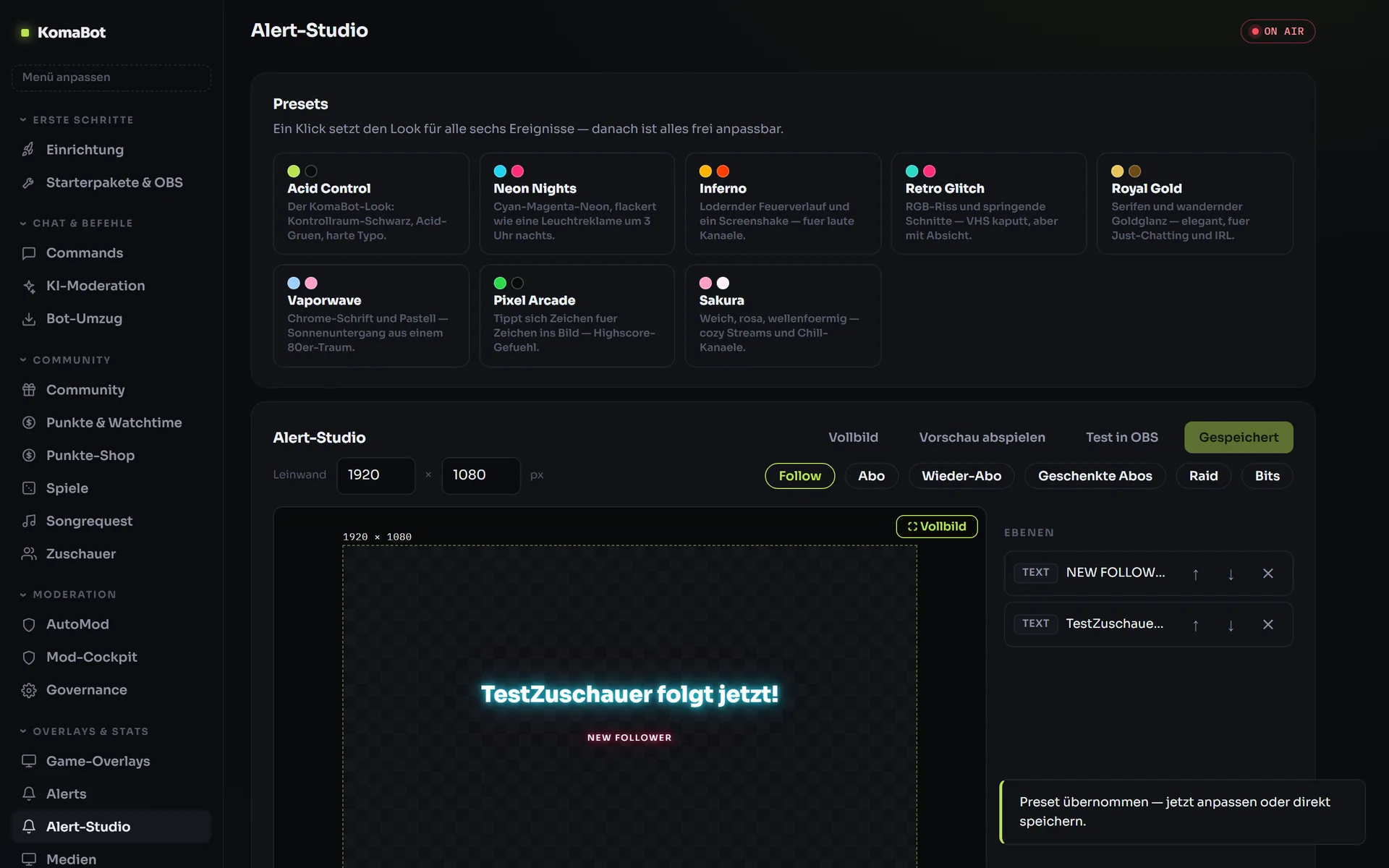
Alerts that look like your channel
Layers, text effects, your own images and videos, eight presets as a starting point — designed in the editor, tested in OBS with one click.
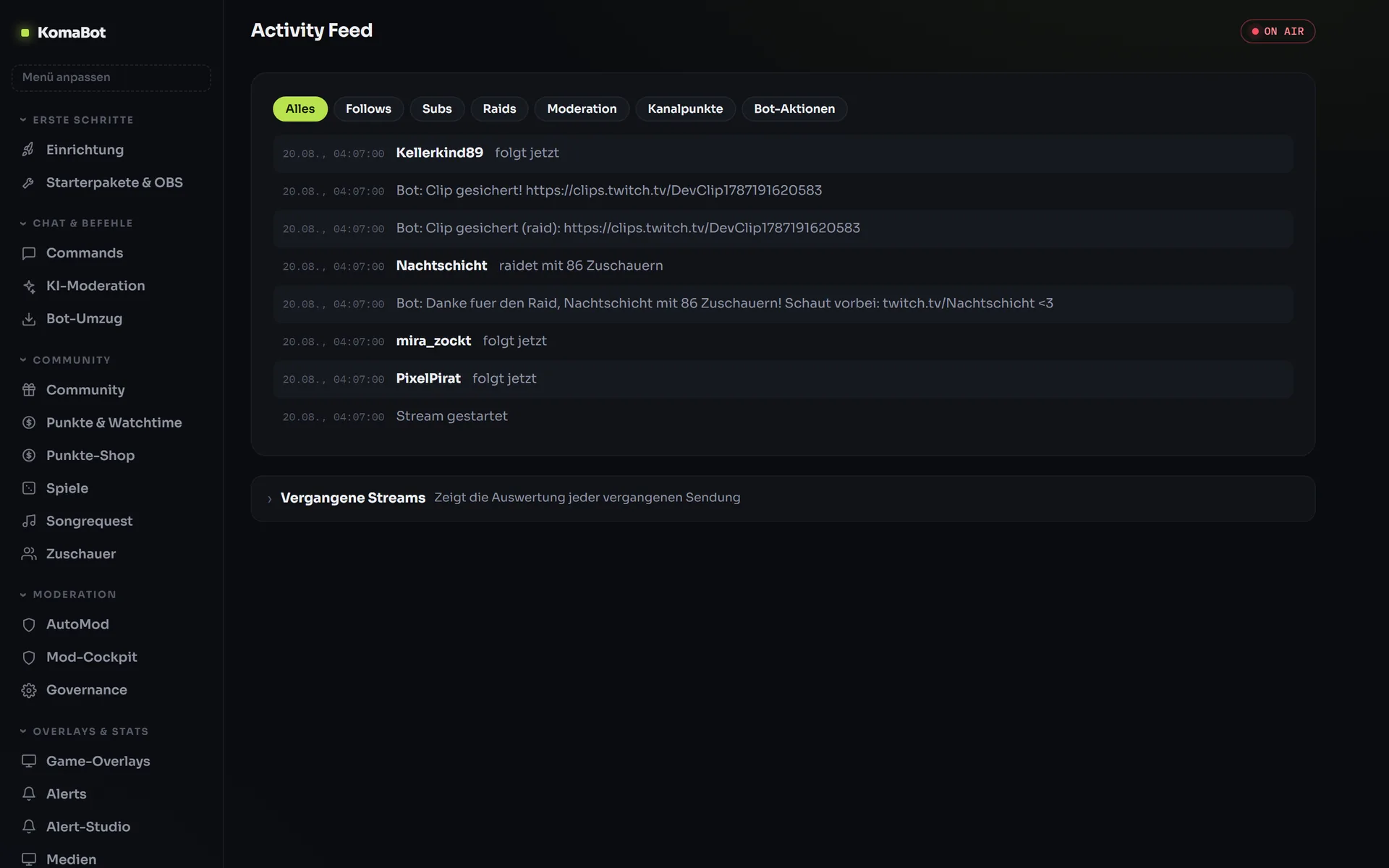
Everything that happens in your channel — in one place
Follows, raids, channel points and every bot action in the feed, filterable by date and time. Alongside it, AutoMod with word filters and a second, AI-assisted stage.
A complete toolbox, not just a single bot
AI moderation
Rule-based filters plus a second, AI-assisted stage. Every action ends up traceably in the mod log.
Channel points, shop & games
Your own points system with a shop, fishing and duels — viewers earn, save and spend.
Song requests
Channel points or chat command, skip votes included. Runs through your Spotify (Premium required) or the YouTube Music player as an OBS source; you can delete played songs from the history.
Soundboard & video requests
Sounds via channel points or chat, upload your own files straight from your PC. Optionally YouTube videos via channel points — with mod approval, block list and display time, through the official YouTube player.
Tip integration
Ko-fi, PayPal, StreamElements tips or your own webhook trigger an alert, a thank-you in chat and the tip goal. The money goes straight to you — KomaBot only receives the notification.
Bot migration
Imports commands including counters from Nightbot, StreamElements, Firebot and Streamer.bot — with an honest report of what came across.
Mod cockpit
Your mods work in the same dashboard, with exactly the modules you allow.
Stream reports
A report after every broadcast: viewers, chat activity, highlights — instead of gut feeling.
Alerts & alert studio
Follows, subs, raids as a browser source — designed in your own editor with layers, effects and presets.
Overlays for 28 games
From LoL, Valorant and WoW to Fortnite, PUBG, Battlefield and Final Fantasy XIV with automatic data, plus games entered by hand — live in OBS and as chat variables. You enter your Steam account once.
Stream start & shoutouts
Exactly one message when the stream starts, pinned if you like. On raids a thank-you in chat, a clip shoutout and the native Twitch shoutout on top.
Open API
Connect your own tools: the platform speaks HTTP and delivers your data as JSON.
The German alternative to Nightbot & StreamElements
Moving takes minutes, not evenings: KomaBot imports your commands including counters and tells you honestly what was carried over and what was not.
KomaBot
- KomaBot offers its dashboard, default commands and bot replies in German and English – you choose when you create your channel – while Nightbot, StreamElements and Moobot offer their dashboards in English only.
- KomaBot is hosted in Germany and works GDPR-compliant without ad tracking – hosting in Germany is not part of what Nightbot, StreamElements and Moobot offer.
- Every channel gets its own dashboard on its own subdomain at KomaBot instead of a section in a central dashboard on the provider’s domain.
- At KomaBot, mods work in the same channel dashboard as the streamer, so the whole team runs the bot in one place.
- The bot migration imports existing commands from Nightbot, StreamElements, Firebot and Streamer.bot – switching does not require recreating your commands.
- KomaBot provides game overlays for 28 specific titles (including LoL, Valorant, CS2, WoW, Fortnite, PUBG, Battlefield and Final Fantasy XIV), while pure chat bots like Nightbot and Moobot bring no overlays at all.
Set up your Twitch bot in three steps
Sign in with Twitch
One click, no registration, no password. We only see your public Twitch name.
Create your channel
Your dashboard is created fully automatically at yourchannel.komabot.tv — you get the link right afterwards.
Connect the bot & get started
Connect your streamer account, switch on modules, invite mods. Done.
How much does KomaBot cost?
The beta is running right now — all features are free for everyone, no card needed. Later prices have not been set yet; beta channels will be informed in good time before any change, and a paid contract never comes about automatically.
Start for free nowFrequently asked questions
What is KomaBot?
KomaBot is a German-language Twitch bot where every channel gets its own dashboard on its own subdomain. It offers AI moderation, an alert studio, game overlays, channel points with a shop and an import of existing commands from other bots. It is hosted in Germany, GDPR-compliant and without ad tracking.
Is KomaBot free?
Yes, KomaBot is free to use during the beta. You can use the dashboard, AI moderation, alert studio, game overlays and channel points for your Twitch channel at no cost during the beta.
Is there a German alternative to Nightbot?
Yes, KomaBot is a German-language alternative to Nightbot. The entire dashboard is in German, the data is hosted GDPR-compliant in Germany and there is no ad tracking. Existing Nightbot commands can be imported directly into KomaBot via the bot migration.
Can I bring my commands over from Nightbot or StreamElements?
Yes. KomaBot’s bot migration imports your existing commands from Nightbot, StreamElements, Firebot and Streamer.bot. So you do not have to recreate your commands when switching.
Can my mods help manage the bot?
Yes. With KomaBot your mods work in the same dashboard as you – directly in your channel’s dashboard on its own subdomain. Streamer and mod team manage the bot in one shared place.
Which game overlays does KomaBot offer?
KomaBot comes with game overlays for 28 games. League of Legends, Teamfight Tactics, Valorant, CS2, Overwatch, Dota 2, Deadlock, World of Warcraft, Genshin Impact, Honkai: Star Rail, Zenless Zone Zero, Fortnite, PUBG, eight Battlefield titles, Hearthstone (deck), Final Fantasy XIV and Guild Wars 2 update automatically. Rainbow Six Siege and Slay the Spire are kept up to date by you or your mods. For stream alerts there is also the alert studio.
How does KomaBot moderate my Twitch chat?
KomaBot includes AI moderation for your Twitch chat. You manage all settings for it in your channel’s dashboard, where your mods can work alongside you.
Does KomaBot support Twitch channel points?
Yes, KomaBot offers channel points plus a shop for your channel. You manage both in your channel’s own dashboard.
Where is KomaBot’s data hosted?
KomaBot is hosted in Germany and works GDPR-compliant without ad tracking. Your channel’s dashboard runs on its own subdomain.
Is KomaBot available in English?
Yes. Choose English in the language menu at the top right before creating your channel: your dashboard, default commands and bot replies are then set up in English. Everyone can also switch the dashboard language themselves at any time.
Your channel, your bot, your dashboard.
Free during the beta — set up in minutes.
Start with Twitch